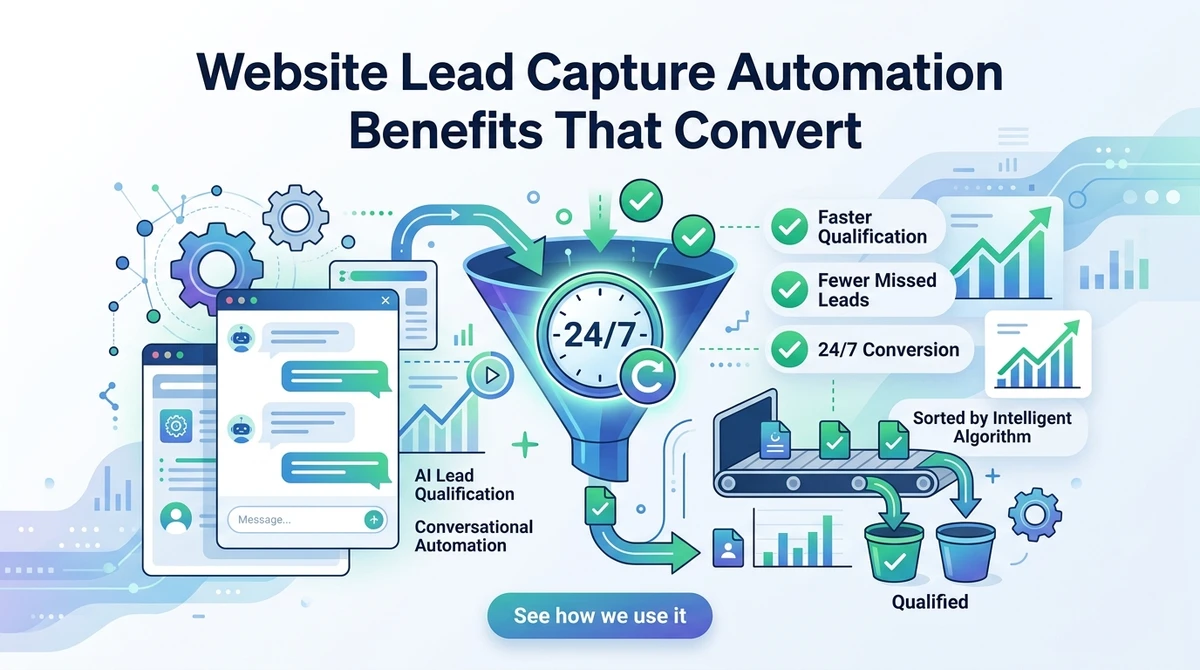
I used to think a fast response was enough. Then I watched the same website generate 42% more form fills and still miss half the buying intent because no one answered the right question at the right moment. Website lead capture automation benefits show up exactly there, when a visitor is ready to talk and your team is still sorting tabs. This is for founders, agency teams, and sales operators who want to qualify leads faster without adding another manual handoff.
Website lead capture automation refers to using software that recognizes intent, starts the conversation, asks qualifying questions, and routes the lead automatically. The real win isn't just collecting names, it's moving a visitor from anonymous traffic to sales-ready context in under a minute.
What most articles miss is the operational side: the best systems don't just capture leads, they reduce response drag, remove form friction, and keep qualification consistent at 24/7 volume. That's the angle here, because that's where the revenue sits.
What are website lead capture automation benefits?
The short answer: they help you catch more qualified demand before it cools. If a visitor lands on your pricing page at 9:48 p.m., the right system can ask what they're looking for, filter out noise, and send a clean handoff to sales before a human ever logs in.
SEO Growth = Intent x Response Speed is the simplest formula I use when I explain this to clients. When intent is high and response speed is slow, conversion leaks. When response happens in real time, the same traffic produces more qualified conversations.
- Capture more leads from the traffic you already pay for
- Qualify visitors before they reach a rep
- Cut manual triage and duplicate follow-up work
- Send better context into CRM and workflows
We see the biggest gain when companies stop treating capture like a form and start treating it like a conversation. A form waits. A conversation earns attention.
How does real-time lead qualification work?
Real-time qualification works by reading visitor behavior, asking targeted questions, and adjusting the next prompt based on the answer. In practice, that means a visitor from a paid campaign gets different questions than someone who arrives from an organic comparison page. The system is trying to separate curiosity from buying intent.
- Detect the page, source, and session behavior.
- Start a short conversation with one relevant question.
- Use the reply to score the lead or route it.
- Pass the data into sales or automation tools instantly.
Keyword → Intent → Conversation → Qualification → Handoff is the flow chain we build around. If any step is generic, the whole chain weakens.
A useful benchmark: according to HubSpot research on response time, lead response speed has a direct effect on conversion. That matches what I see in the field, fast qualification beats delayed follow-up almost every time.
Why do forms lose qualified leads?
Forms don't fail because people hate typing. They fail because they ask for commitment before trust. If someone is comparing agencies, software, or services, they often want one quick answer first, not a seven-field gate with no payoff.
Manual lead capture creates two leaks: visitors bounce before submitting, and submitted leads sit in a queue until someone reviews them. That gap is where qualified demand disappears. I've seen teams celebrate conversion rate on the form while ignoring the 12-hour delay that followed it.
A better model is simple: ask one question, earn the next answer, then capture contact details once the conversation has value. That sequence usually works better than front-loading friction.
- One-field forms improve volume, but often weaken qualification
- Long forms improve filtering, but reduce completion
- Conversational capture balances both by asking in sequence
That tradeoff is why automated lead capture often outperforms static forms on pages where intent is already high.
We built Rioform around that exact leak, because most teams don't need more traffic, they need fewer lost conversations.
How do you speed up sales without adding headcount?
You speed up sales by moving the first qualification step out of the inbox and onto the site. That sounds small, but it removes the oldest bottleneck in the funnel: waiting for a human to ask basic questions that software can ask instantly.
Sales Velocity = Qualified Leads x Speed to Context is the second formula I use. If your reps spend the first five minutes asking budget, timeline, and use case, you're paying senior salaries to collect data.
- Use conversational prompts on high-intent pages.
- Auto-tag leads by need, company size, or urgency.
- Route only sales-ready conversations to reps.
- Trigger follow-up based on the visitor's answers.
I like this example: a 20-person agency can use one AI lead qualifying software layer to pre-screen inbound requests, then let the team focus on deals with actual fit. The result isn't just faster replies, it's cleaner calendars and less time lost on poor-fit calls.
When the first answer arrives before the first rep touches the lead, the whole sales motion feels lighter.
What is AI lead qualification, and where does it beat manual review?
AI lead qualification is the process of using an autonomous conversational agent to ask, interpret, and route lead information in real time. It beats manual review when the volume is high, the intake is repetitive, or the site needs coverage outside business hours.
Manual review is human-gated, AI qualification is event-gated. That means the AI responds when behavior changes, not when a person clears a queue. If someone visits the pricing page three times in one day, the system can react immediately instead of waiting for morning.
This matters because buyer intent decays. The faster you capture context, the cleaner the handoff. According to the U.S. Census Bureau's e-commerce timing data, online behavior moves in real time, not on office schedules, which is exactly why 24/7 coverage matters.
The best conversational AI for lead capture doesn't sound clever. It sounds relevant, short, and specific to the page the visitor is on.
- Best for inbound agencies handling many client sites
- Best for SaaS teams with pricing-page traffic
- Best for service businesses that need fast triage
What should you measure before you automate?
If you're evaluating real time lead qualification cost, don't start with software price. Start with the cost of delay, lost handoffs, and rep time spent on unqualified conversations. In most teams, that number is bigger than the tool fee, even before you count missed after-hours leads.
- Measure current response time to first contact.
- Track form conversion by page, not just sitewide.
- Count how many leads need manual cleanup or re-qualification.
- Estimate rep hours spent on unqualified discovery calls.
Automation ROI = Missed Leads Recovered + Hours Saved - Tool Cost is the version that matters. If you can recover even a handful of late-night inquiries or cut 10 hours of manual triage a week, the math changes quickly.
One practical scenario: if your team closes 3 extra deals a quarter because leads are qualified on arrival, the automation cost stops being an expense and starts behaving like a conversion layer.
That is usually the moment the conversation shifts from "Can we afford this?" to "How many pages should we activate first?"
How do you automate lead capture without making it feel robotic?
Start with the page, not the script. A visitor on a case study page and a visitor on a demo page need different questions, because they arrived with different intent. The quickest way to make automation feel robotic is to ignore context and ask the same opener everywhere.
The best workflow is short, contextual, and reversible. Ask one question, adapt the next one, and always give the visitor a clean path to a human if they want it. That keeps the exchange useful instead of pushy.
- Match the opener to the page or campaign
- Keep the first exchange under 10 seconds to answer
- Use the visitor's answer to narrow the route
- Store only the data sales will actually use
A useful flow is: Visitor lands → Agent greets → Qualification question → Lead score or route → CRM update → Follow-up task. That chain keeps the process visible and simple enough to audit.
We see the strongest results when automation behaves like a sharp coordinator, not a louder chatbot.
FAQ
What is AI lead qualification in plain terms?
AI lead qualification is software that talks to visitors, asks the right questions, and decides whether a lead should be captured, scored, or routed. The key difference from a form is timing, because the qualification happens while the visitor is still engaged. That usually means better context, fewer drop-offs, and faster follow-up. In practice, it works best on pages where intent is already visible, like pricing, demo, or contact pages. If the visitor is curious but not ready, the system can keep the exchange light. If the visitor is high intent, it can collect the details your team needs and pass them straight into the workflow. That's why teams use it as a front-end filter, not just a chat widget.
How can I automate lead capture without losing quality?
Use contextual questions instead of long forms. The trick is to ask for the next useful piece of information, not every detail at once. If someone arrives from a service page, start with service fit. If they come from pricing, ask about budget range or timeline. Then route the conversation based on what they say. That gives you enough data to qualify while keeping the interaction natural. I also recommend setting a handoff rule, so anything that looks sales-ready reaches a human fast. Automation should reduce noise, not block real buyers. When done well, it improves both speed and lead quality because the visitor feels understood instead of processed.
Is conversational AI better than manual lead review?
For high-volume inbound, yes. Manual review is too slow when traffic peaks, and it usually starts after the visitor has left. Conversational AI can react in the moment, capture intent, and filter leads before they cool off. I would still keep humans in the loop for edge cases, but not for the first pass. That first pass is where the biggest time savings sit. If your team spends hours sorting form fills, the agent can take over that work and let reps focus on live opportunities. The practical test is simple: if you need consistent 24/7 response, AI usually beats manual review on speed and coverage.
What should I look for in AI lead qualifying software?
Look for behavior-aware conversations, clean CRM integration, and routing rules you can actually control. A good tool should adapt to page context, not just display the same prompt everywhere. It should also capture structured data your sales team can use, like company size, need, or timeline. I also check whether it can hand off to existing workflows without a pile of custom work. If setup requires a month of engineering, the software is too heavy for most teams. The best systems are the ones your team can monitor, tune, and trust after launch. That matters more than flashy chat copy.